Multi-Tenant Custom Domains, without paying for Cloudflare for SaaS
· 5 min read
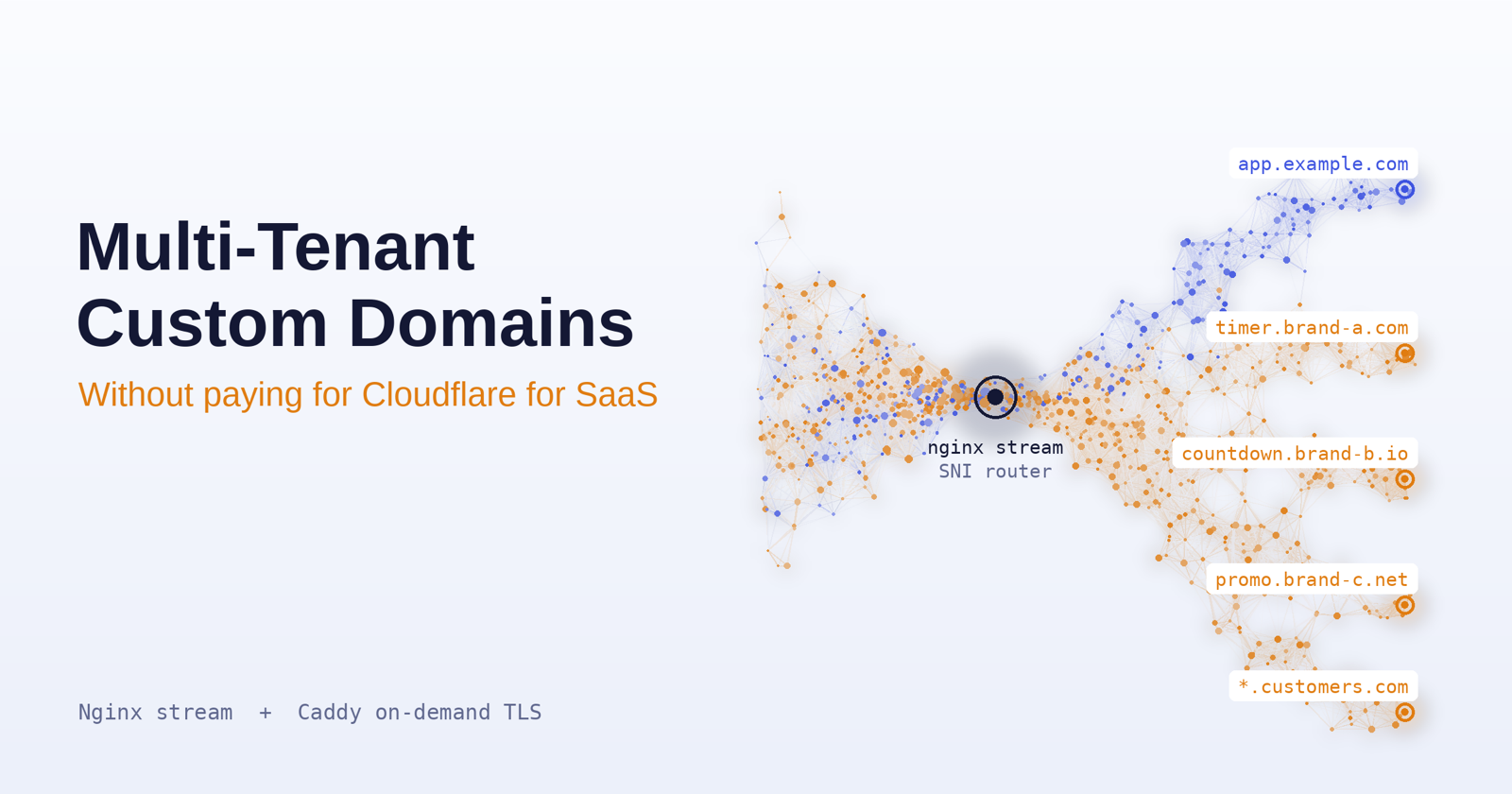
I run Countdown Builder, a SaaS that serves live countdown timer images for emails. Customers wanted timer.theirbrand.com instead of our domain, which meant issuing and renewing TLS certs for domains I don't know in advance.
Cloudflare for SaaS solves this, but I wanted to keep it on the single server I already run. So I built it with Nginx and Caddy. This is the loop I went through: what I tried, what broke, and what the final setup looks like.
The final architecture
- Nginx
stream(Layer 4) listens on 443. It never decrypts anything. It reads the SNI from the TLS handshake and routes the raw connection. - Caddy (Layer 7) handles unknown customer domains. It terminates TLS, gets Let's Encrypt certificates on the fly, and proxies to the backend.
Attempt 1: Plain Nginx
Try: one server block with server_name _ and a wildcard cert.
Result: a wildcard cert only covers my domain. Customer domains throw certificate warnings, and Gmail's image proxy refuses to fetch the timer.
Learned: Nginx needs a cert before it knows which site you wanted. Dynamic domains need something that can get certs at handshake time.
Attempt 2: Caddy on-demand TLS, alone
Try: Caddy on 443 with on_demand and an ask endpoint.
Result: it works, but now Caddy fronts my main app too, and I didn't want to migrate a working Nginx setup.
Learned: I wanted the main app untouched, with only unknown domains going to Caddy.
Attempt 3: Nginx stream as an SNI router
Nginx's stream module can read the SNI from the TLS ClientHello without decrypting anything:
stream {
    map $ssl_preread_server_name $https_backend {
        app.example.com  127.0.0.1:8081;   # main app (Nginx http block)
        example.com      127.0.0.1:8081;
        default          127.0.0.1:8443;   # everything else -> Caddy
    }

    server {
        listen 443;
        ssl_preread on;
        proxy_pass $https_backend;
    }
}
Result: HTTPS worked. Known domains hit the app, unknown ones hit Caddy and got certs on demand. I thought I was done.
Port 80 routing doesn't work in stream
My first draft routed port 80 with $http_host inside a stream map. That variable doesn't exist there, because stream is Layer 4 and never parses HTTP. You get a config error or an empty variable, depending on version.
Fix: keep port 80 in a normal http block, where Host-based routing works:
http {
    server {
        listen 80 default_server;
        server_name app.example.com example.com;
        location / { proxy_pass http://127.0.0.1:5000; }
    }

    server {
        listen 80;
        server_name _;
        location / {
            proxy_pass http://127.0.0.1:8082;   # Caddy HTTP (ACME + redirect)
            proxy_set_header Host $host;
        }
    }
}
The gatekeeper endpoint
Without an ask endpoint, anyone can point a domain at your IP and make Caddy burn through your Let's Encrypt rate limits. Caddy calls your backend before issuing:
GET /internal/domain-check?domain=clientdomain.com
200 OK: your database recognizes the domain. Caddy gets the cert, caches it, and serves the request.- Anything else: Caddy aborts the handshake.
Keep it to one indexed DB lookup, since it sits on the handshake path.
Gotcha: ACME challenges and scanner noise
HTTP-01 needs port 80 to reach Caddy for the customer domain, which the http block from Bug 1 handles. If issuance fails, check first that the customer's DNS actually points at your server.
You may also see tls-alpn challenge ... no information found to solve challenge for identifier: in Caddy's logs every few days. Look at the server_name field: when it's empty, something connected with the ACME ALPN protocol but sent no hostname. Real validations carry the domain, so this is almost certainly a scanner, and Caddy is correctly refusing it.
How I verified it
A page that loads proves nothing. I checked each path separately, from a machine other than the server:
curl -sI https://timer.customer.com/        # customer-domain path
curl -sI https://app.example.com/           # main-app path
Both should answer over HTTPS with no certificate warnings. To inspect the certificate Caddy actually issued:
echo | openssl s_client -connect timer.customer.com:443 -servername timer.customer.com 2>/dev/null | openssl x509 -noout -issuer -dates
That should show Let's Encrypt as the issuer, with dates that make sense.
Last, issue a certificate for a domain that has never touched the server and read Caddy's log:
sudo journalctl -u caddy --since "5 min ago" --no-pager | grep -iE 'obtaining|obtained|error'
You want obtaining new certificate followed by certificate obtained successfully. (If journalctl prints "No entries" without sudo, that's a permissions issue, not an empty log.)
What I'd tell past me
- Prototype with Let's Encrypt staging to avoid rate limits while debugging.
- Test with
curl --resolvebefore touching real DNS. - Add a per-domain issuance cap in your
askendpoint.